Javascript, HTML, CSS Code
                    <html>

    <head>

		<script type="text/javascript"> window.addEventListener('error', function(event) { var message = JSON.parse(JSON.stringify(event.message)); var source = event.filename; var lineno = event.lineno; var colno = event.colno; var error = event.error; window.parent.postMessage({ type: 'iframeError', details: { message: message, source: source, lineno: lineno, colno: colno, error: error ? error.stack : '' } }, '*'); }); window.addEventListener('unhandledrejection', function(event) { window.parent.postMessage({ type: 'iframePromiseRejection', details: { reason: event.reason } }, '*'); }); </script>


        <meta charset="utf-8">

        <meta http-equiv="X-UA-Compatible" content="IE=edge">

        <meta name="viewport" content="width=device-width,initial-scale=1">


        <title>Random Maze Generator Game</title>

        <meta name="description" content="A simple random maze generator game. Solve the maze in 2 minutes!">

        <meta name="keywords" content="maze, random, generator, game, puzzle">


        <script src="https://ajax.googleapis.com/ajax/libs/jquery/3.6.0/jquery.min.js"></script>

        <link href="https://cdn.jsdelivr.net/npm/bootstrap@5.0.2/dist/css/bootstrap.min.css" rel="stylesheet"

                integrity="sha384-EVSTQN3/azprG1Anm3QDgpJLIm9Nao0Yz1ztcQTwFspd3yD65VohhpuuCOmLASjC" crossorigin="anonymous">

        <link href="https://stackpath.bootstrapcdn.com/font-awesome/4.7.0/css/font-awesome.min.css" rel="stylesheet">

        <script type="text/javascript">

            var localStoragePrefix = "ct-168118637210147";

            var lastSave = 0;

            function saveLocal(data) {

                if (Date.now() - lastSave < 1000) {

                    return;

                }

                let cookie = localStoragePrefix + "=" + JSON.stringify(data) + "; path=" + window.location.pathname +  "'; SameSite=Strict";

                cookie += "; expires=" + new Date(Date.now() + 1000 * 60 * 60 * 24 * 365 * 1000).toUTCString();

                document.cookie = cookie;

                lastSave = Date.now();

            }


            function loadLocal() {

                var cookiePrefix = localStoragePrefix + "=";

                var cookieStart = document.cookie.indexOf(cookiePrefix);

                if (cookieStart > -1) {

                    let cookieEnd = document.cookie.indexOf(";", cookieStart);

                    if (cookieEnd == -1) {

                        cookieEnd = document.cookie.length;

                    }

                    var cookieData = document.cookie.substring(cookieStart + cookiePrefix.length, cookieEnd);

                    return JSON.parse(cookieData);

                }

            }

        </script>


        <script type="text/javascript">

            function generateMaze(width, height) {

                let maze = new Array(height).fill(null).map(() => new Array(width).fill(false));

                let stack = [[1, 1]];


                function isInside(x, y) {

                    return x > 0 && y > 0 && x < width - 1 && y < height - 1;

                }


                function hasVisited(x, y) {

                    return !maze[y][x];

                }


                while (stack.length) {

                    let [x, y] = stack.pop();

                    maze[y][x] = true;


                    let neighbors = [

                        [x, y - 2],

                        [x, y + 2],

                        [x - 2, y],

                        [x + 2, y],

                    ];

                    neighbors = neighbors.filter(([x, y]) => isInside(x, y) && hasVisited(x, y));


                    if (neighbors.length) {

                        stack.push([x, y]);

                        let [nx, ny] = neighbors[(Math.random() * neighbors.length) | 0];

                        maze[(y + ny) / 2][(x + nx) / 2] = true;

                        stack.push([nx, ny]);

                    }

                }


                return maze;

            }


            let maze, playerX, playerY, timer, timerInterval, mazeBackground;


            function newRound() {

                clearInterval(timerInterval);

                let width = 33;

                let height = 33;

                maze = generateMaze(width, height);

                playerX = 1;

                playerY = 1;

                maze[1][1] = true;

                maze[height - 2][width - 2] = true;

                timer = 120;

                timerInterval = setInterval(function () {

                    timer--;

                    if (timer <= 0) {

                        clearInterval(timerInterval);

                        alert("Time's up! Try again.");

                        newRound();

                    }

                    $("#timer").text("Time remaining: " + timer + "s");

                }, 1000);

                updateCanvasSize();

                drawMaze();

            }


            function drawMaze() {

                let canvas = document.getElementById("maze");

                let ctx = canvas.getContext("2d");


                if (mazeBackground) {

                    ctx.drawImage(mazeBackground, 0, 0, canvas.width, canvas.height);

                } else {

                    ctx.fillStyle = "#FFFFFF";

                    ctx.fillRect(0, 0, canvas.width, canvas.height);

                }


                let blockWidth = canvas.width / maze[0].length;

                let blockHeight = canvas.height / maze.length;


                for (let y = 0; y < maze.length; y++) {

                    for (let x = 0; x < maze[y].length; x++) {

                        if (!maze[y][x]) {

                            ctx.fillStyle = "rgba(0, 0, 0, 0.5)";

                            ctx.fillRect(x * blockWidth, y * blockHeight, blockWidth, blockHeight);

                        }

                    }

                }


                ctx.fillStyle = "#000000";

                ctx.fillRect(playerX * blockWidth, playerY * blockHeight, blockWidth, blockHeight);

            }


            function move(dx, dy) {

                let newX = playerX + dx;

                let newY = playerY + dy;

                if (maze[newY][newX]) {

                    playerX = newX;

                    playerY = newY;

                    drawMaze();

                    if (playerX === maze[0].length - 2 && playerY === maze.length - 2) {

                        clearInterval(timerInterval);

                        alert("Congratulations! You won!");

                        newRound();

                    }

                }

            }


            function arrowKeyHandler(direction) {

                switch (direction) {

                    case "up":

                        move(0, -1);

                        break;

                    case "down":

                        move(0, 1);

                        break;

                    case "left":

                        move(-1, 0);

                        break;

                    case "right":

                        move(1, 0);

                        break;

                }

            }


            function updateCanvasSize() {

                let canvas = document.getElementById("maze");

                let width = window.innerWidth - 40;

                let height = window.innerHeight - 120;

                let size = Math.min(width, height);

                size = Math.min(size, 512);

                canvas.width = size;

                canvas.height = size;

                drawMaze();

            }


            function loadImage() {

                let input = document.createElement("input");

                input.type = "file";

                input.accept = "image/*";

                input.onchange = function (event) {

                    let file = event.target.files[0];

                    let reader = new FileReader();

                    reader.onload = function (e) {

                        let img = new Image();

                        img.src = e.target.result;

                        img.onload = function () {

                            mazeBackground = img;

                            drawMaze();

                        };

                    };

                    reader.readAsDataURL(file);

                };

                input.click();

            }


            $(document).ready(function() {

                newRound();

                $("#maze").focus();


                document.addEventListener("keydown", function (e) {

                    switch (e.key) {

                        case "ArrowUp":

                            move(0, -1);

                            break;

                        case "ArrowDown":

                            move(0, 1);

                            break;

                        case "ArrowLeft":

                            move(-1, 0);

                            break;

                        case "ArrowRight":

                            move(1, 0);

                            break;

                    }

                    e.preventDefault();

                });


                document.querySelectorAll(".arrow-key").forEach(function (button) {

                    button.addEventListener("touchstart", function (e) {

                        e.preventDefault();

                        arrowKeyHandler(this.dataset.direction);

                    });

                });


                window.addEventListener("resize", updateCanvasSize);

            });

        </script>


        <style>

            body {

                font-family: 'Courier New', monospace;

                background-color: #f8f9fa;

            }

            #maze-container {

                display: flex;

                justify-content: center;

                align-items: center;

                height: 100vh;

            }

            #maze {

                border: 1px solid #000;

            }

            #timer {

                position: absolute;

                top: 10px;

                left: 10px;

                font-size: 1.5em;

            }

            .arrow-keys {

                display: flex;

                justify-content: center;

                position: absolute;

                bottom: 20px;

                left: 50%;

                transform: translateX(-50%);

            }

            .arrow-keys .arrow-key {

                width: 50px;

                height: 50px;

                background-color: #ccc;

                border: 1px solid #999;

                display: flex;

                justify-content: center;

                align-items: center;

                font-size: 1.5em;

                cursor: pointer;

                user-select: none;

            }

            .arrow-keys .arrow-key:active {

                background-color: #999;

            }

            .arrow-keys .left, .arrow-keys .right {

                margin: 0 10px;

            }

            #load-image {

                position: absolute;

                top: 10px;

                right: 10px;

                font-size: 1.5em;

                cursor: pointer;

            }

        </style>


	<link rel="canonical" href="https://calculator.tools/prompt/213/">

	<meta charset="utf-8">

</head>

    <body>

        <div id="maze-container">

            <canvas id="maze" width="512" height="512" tabindex="1"></canvas>

        </div>

        <div id="timer">Time remaining: 120s</div>

        <div class="arrow-keys">

            <div class="arrow-key left" data-direction="left"><i class="fa fa-arrow-left"></i></div>

            <div class="arrow-key up" data-direction="up"><i class="fa fa-arrow-up"></i></div>

            <div class="arrow-key down" data-direction="down"><i class="fa fa-arrow-down"></i></div>

            <div class="arrow-key right" data-direction="right"><i class="fa fa-arrow-right"></i></div>

        </div>

        <div id="load-image" onclick="loadImage()"><i class="fa fa-upload"></i></div>

            <script type="text/javascript"> var localStoragePrefix = "ct-{{ cachebreaker }}"; var lastSave = 0; function saveLocal(data) { if (Date.now() - lastSave < 1000) { return; } let cookie = localStoragePrefix + "=" + JSON.stringify(data) + "; path=" + window.location.pathname +  "'; SameSite=Strict"; cookie += "; expires=" + new Date(Date.now() + 1000 * 60 * 60 * 24 * 365 * 1000).toUTCString(); document.cookie = cookie; lastSave = Date.now(); } function loadLocal() { var cookiePrefix = localStoragePrefix + "="; var cookieStart = document.cookie.indexOf(cookiePrefix); if (cookieStart > -1) { let cookieEnd = document.cookie.indexOf(";", cookieStart); if (cookieEnd == -1) { cookieEnd = document.cookie.length; } var cookieData = document.cookie.substring(cookieStart + cookiePrefix.length, cookieEnd); return JSON.parse(cookieData); } } </script>


        <script type="text/javascript"> window.addEventListener('load', function() { var observer = new MutationObserver(function() { window.parent.postMessage({height: document.documentElement.scrollHeight || document.body.scrollHeight},"*"); }); observer.observe(document.body, {attributes: true, childList: true, subtree: true}); window.parent.postMessage({height: document.documentElement.scrollHeight || document.body.scrollHeight},"*"); }); </script>

</body>

</html>
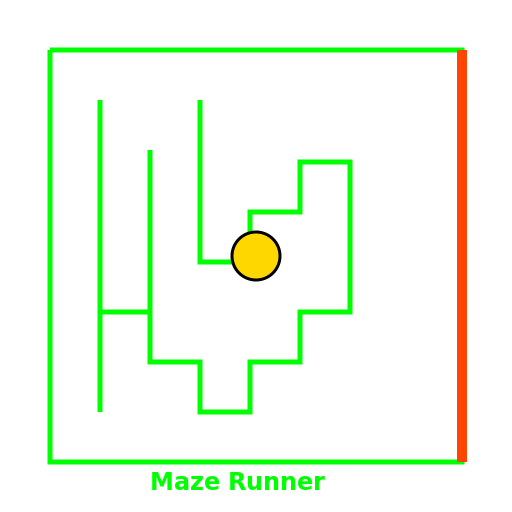 Random Maze Generator Game
 Calculator Tools